Generating video from text means an AI model converts a written prompt into a moving clip with motion, camera work, and — on 2026 platforms such as Imgentic, Canva, and Kling 3.0 — synchronized native audio, so a creator can turn a script into usable footage in minutes without hiring a production team or learning editing software first.
- Kling 3.0 advertises cinematic 4K resolution and character consistency — the two benchmark criteria buyers compare across text-to-video platforms in 2026.
- Canva generates clips with synchronized audio, including dialogue and sound effects, directly from a text prompt.
- Imgentic is an agentic AI platform wrapping Seedance 2.5 (video) and Seedream (images), so the entire script-to-film pipeline runs in one place.
- Most free plans limit output through credits, watermarks, or resolution caps — verify commercial rights before publishing any paid ad.
- A complete AI short film follows 5 stages: script → storyboard images → shot-by-shot video → audio → edit and export.
Updated for 2026 to reflect the current Seedance 2.5 and Kling 3.0 model landscape.
What Does It Mean to Generate Video from Text in 2026?
To generate video from text means an AI model converts a written prompt into a moving video clip; in 2026, leading platforms produce footage with native audio, directed camera movement, and up to 4K resolution, turning a single descriptive sentence into a usable cinematic shot within seconds to minutes.
Text-to-video AI is generative technology that transforms a written description (prompt) into a video clip with motion, camera angles, and — on some platforms — sound, automatically. Native audio is dialogue, music, or sound effects the model generates together with the visuals in a single pass, with no manual syncing afterward.
The capability jump since 2024 is real. Early models produced silent, warped clips. Today, Kling 3.0 advertises cinematic 4K output with native audio, and Canva generates clips with synchronized dialogue and sound effects — sound is no longer a separate post-production step on leading platforms. Maximum clip length per generation still varies by model.
Text-to-video vs image-to-video: which input gives you more control
Text-to-video generates a clip purely from a written prompt, while image-to-video starts from a reference image and animates it. Image-to-video gives you far more control over composition, character appearance, and framing, because the model animates an approved frame instead of inventing the visuals from scratch.
- Text-to-video is fastest for exploration: one prompt, one clip, no assets needed. The trade-off is less control over exactly what appears.
- Image-to-video is the professional route for recurring characters or products, because the starting frame is locked before motion is added.
- Serious 2026 workflows combine both: text-to-image for the storyboard, then image-to-video for each shot — the approach detailed in the image-to-video guide for consistent characters.
What today's models can and can't do yet
Text-to-video models in 2026 reliably produce short cinematic shots with realistic motion, lighting, and — on Kling 3.0 and Canva — synchronized native audio. What they cannot do is generate a multi-minute film in one pass, or guarantee identical characters across separate generations without a reference image.
What works well: single shots of roughly 5–15 seconds, camera moves (dolly, pan, orbit), stylized and photorealistic looks, product close-ups, and dialogue with lip movement on audio-capable models.
What still breaks: long continuous takes, complex hand interactions, on-screen text, and character consistency — the model's ability to keep a character's face, clothing, and features identical across every shot and scene. Consistency fails fastest when you rely on text descriptions alone. Every failure here has a workaround, covered in the mistakes section below.
How to Generate a Video from Text: 5 Steps That Work on Any Platform

To generate a video from text, write a structured prompt (subject, action, camera, lighting, style), choose your model and aspect ratio, generate a draft clip, refine with follow-up prompts or image references, then export. On most 2026 platforms, the full loop takes under 10 minutes for a single shot.
- Write a structured prompt with 5 parts. The formula that consistently beats one-liners is subject + action + camera movement + lighting + style. "A dog running" produces generic output; "a golden retriever sprinting across wet sand, low tracking shot, golden-hour backlight, cinematic 35mm" produces a usable shot.
- Choose your model and aspect ratio before generating. Pick 16:9 for YouTube and film, 9:16 for Reels and TikTok, 1:1 for feed ads. On Imgentic, you also select the model — Seedance 2.5 for video — at this stage, because the model determines quality more than any prompt tweak.
- Generate a draft and judge motion, not just the first frame. Play the clip fully. Check whether motion stays smooth, faces hold shape, and the camera move matches what you asked for.
- Refine one variable at a time. If the subject drifts, don't rewrite the whole prompt — change a single phrase, or switch to image-to-video with a locked reference frame for precise control.
- Export at full resolution and check the license. Confirm your plan's resolution cap and whether output carries a watermark before publishing, especially for commercial work.
Step-by-step walkthrough with a real prompt example
A working example of the 5-part prompt structure reads: "A young chef plating a chocolate dessert in a professional kitchen (subject), carefully placing a mint leaf with tweezers (action), slow dolly-in toward the plate (camera), warm tungsten kitchen light with soft shadows (lighting), cinematic 35mm shallow depth of field (style)."
Written this way, the prompt constrains the model enough that it can't wander. From common cases we see, structured prompts usually land a keeper within a couple of regenerations, while one-line prompts need several times more attempts — and every failed attempt burns credits on any plan. You can test the same prompt free on Imgentic before committing to a paid tier.
Copy-paste prompt templates for ads, cinematic shots, and 9:16 social clips
These prompt templates follow the same 5-part structure (subject, action, camera, lighting, style) and are ready to adapt: swap the bracketed subject for your own, and keep the camera, lighting, and style anchors, which do most of the quality work in a text-to-video prompt.
- Product ad (16:9): "[Product] on a rotating pedestal, water droplets sliding down the surface, slow orbit shot, studio softbox lighting on black background, high-end commercial style."
- Cinematic film shot (16:9): "[Character description] walking through a rain-soaked neon street at night, glancing over their shoulder, handheld tracking shot from behind, cyan and magenta reflections, moody thriller style."
- Social clip (9:16): "[Person] unboxing [product] at a bright desk, hands opening the lid toward camera, static close-up framing, natural window daylight, clean UGC style, vertical 9:16."
- Food content (9:16): "Melted cheese pulled from a hot sandwich, steam rising, extreme close-up with slow push-in, warm side lighting, appetizing food-commercial style."
- Brand mood shot (16:9): "Aerial view of [location] at sunrise, mist drifting over the landscape, slow forward drone glide, soft pastel morning light, epic documentary style."
Pro tip: revise one variable per attempt. If lighting is right but motion is wrong, change only the action and camera phrases — rewriting everything resets what already worked.
Best Text-to-Video AI Platforms Compared (2026)
The best text-to-video platforms in 2026 are Imgentic, Canva, Kling, VEED, Vidu, and Picsart. They differ mainly on six criteria: resolution, native audio, character consistency, free-plan limits, watermarks, and commercial usage rights — and no comparison currently ranking scores all six platforms against the same checklist.
Comparison table: 6 platforms × 6 decision criteria
| Platform | Core strength | Native audio | Free plan & commercial rights |
|---|---|---|---|
| Imgentic | Agentic workflow: Seedance 2.5 video + Seedream images in one platform | Via model support | |
| Canva | Clips with synchronized audio (dialogue + SFX) inside a design suite | Yes | |
| Kling 3.0 | Cinematic 4K, character consistency, native audio | Yes | |
| VEED | Talking-head and short-form video focus | ||
| Vidu | Fast text-to-video generation | ||
| Picsart | Multiple AI models aggregated in one app |
Which platform fits which use case
The right text-to-video platform depends on your output type: multi-shot films and ads favor Imgentic's agentic pipeline, quick social graphics favor Canva, maximum single-shot fidelity favors Kling 3.0, talking-head content favors VEED, and casual mobile-first creation favors Picsart or Vidu.
An agentic AI platform is a platform where AI orchestrates several stages of a creative job in sequence — selecting the model, generating images, extending them into video — instead of the user driving each tool manually.
- Short films and multi-shot ads: Imgentic — storyboard images (Seedream) and video shots (Seedance 2.5) stay in one workflow, which character consistency depends on.
- Marketing teams already in a design suite: Canva — AI clips with synchronized dialogue and sound effects drop straight into existing templates.
- Single hero shots at maximum fidelity: Kling 3.0 — its 4K and consistency claims target exactly this buyer.
- Presenter-style and explainer videos: VEED — its positioning is talking heads and short-form, not cinematic generation.
- Casual mobile-first creation: Picsart or Vidu — lower friction, aggregated models, quick output.
Free plans compared: credits, watermarks, and resolution caps
Free plans on text-to-video platforms in 2026 typically limit output in three ways — a monthly credit allowance, a watermark on exports, or a resolution cap — and several platforms also exclude free-tier output from commercial use, which disqualifies it for paid advertising.
Before committing anywhere, verify three things on the pricing page: how many clips the free credits actually produce, whether the watermark can be removed without upgrading, and whether free output is licensed for ads. Details for the client platform are on the Imgentic Studio pricing and free plan page.
Watch out: a generous-looking free plan with no commercial rights is worthless for advertisers. For paid work, license terms outrank credit counts as a decision factor.
Seedance 2.5 vs Kling 3.0 and Other Models: What's Under the Hood
Seedance 2.5 and Kling 3.0 are underlying text-to-video generation models that platforms wrap in their interfaces. The model — not the app around it — determines output quality, motion realism, and consistency, so buyers should ask which model a platform runs before subscribing to any plan.
This distinction is the one most comparison articles skip. Two apps can look identical on the surface, but if one runs a stronger model, its output wins every time regardless of UI polish. Kling 3.0's public positioning centers on 4K resolution, native audio, and character consistency. Seedance 2.5, available inside Imgentic, is the video model powering that platform's generation pipeline.
The practical takeaway: treat the model as your primary buying criterion and the interface as secondary. A multi-model platform like Imgentic hedges this risk — when a better model ships, the platform can adopt it without you switching tools.
How to match a model to your project type
Matching a text-to-video model to a project comes down to three questions: does the project need audio generated in the same pass, does it need the same character across many shots, and what resolution does the final delivery channel demand?
- Dialogue-driven content: prioritize native audio, so lip movement and sound generate together instead of being synced by hand.
- Multi-shot narratives: prioritize consistency support and image-to-video input — this matters more than raw resolution for storytelling.
- Broadcast or cinema delivery: prioritize maximum resolution; 4K-class output is the 2026 benchmark Kling 3.0 advertises.
- High-volume social output: prioritize generation speed and credit cost per clip over top-end fidelity.
Side-by-side consistency test: same character, three shots
A character consistency test means generating the same described character across three separate shots on each model — close-up, medium walking shot, wide establishing shot — with identical settings, then comparing frames for drift in face, hair, and clothing: the failure mode that quietly kills AI short films.
From common cases we see, text-only prompting drifts noticeably by the third shot on most models — which is exactly why the storyboard-first workflow in the next section exists.
How to Create a Full AI Movie or Short Film from a Script
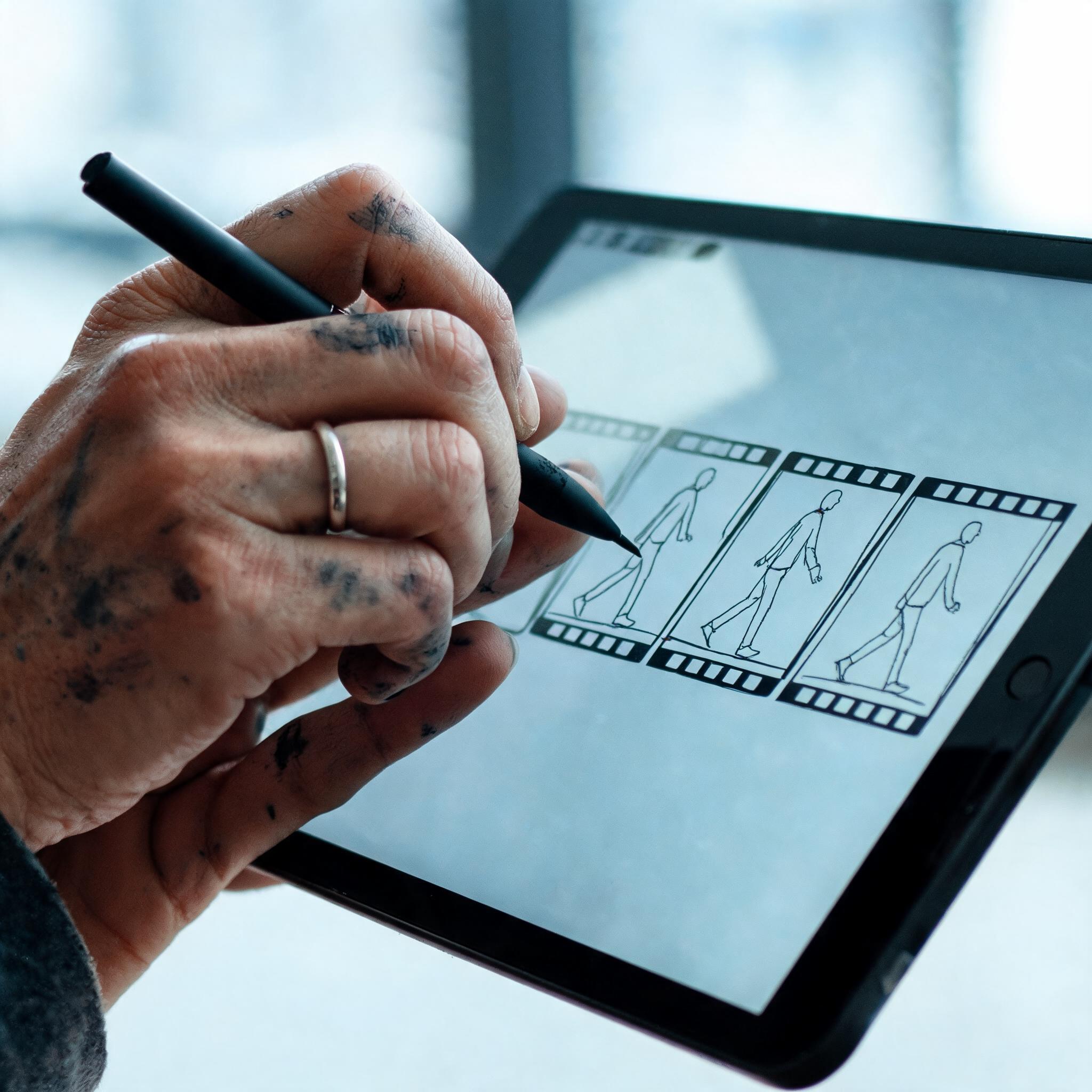
Creating an AI movie follows five stages: break the script into shots, generate storyboard images with a text-to-image model like Seedream, convert each frame to video with Seedance 2.5, add dialogue and sound, then assemble and export — all achievable inside a single agentic platform like Imgentic.
This is the workflow most tutorials skip. Everyone shows one pretty clip; almost nobody shows the path from script to coherent multi-shot film. Here is the full pipeline.
Stage-by-stage walkthrough with Seedream storyboards and Seedance 2.5 shots
- Break the script into a shot list. Convert each scene into shots of roughly 5–10 seconds, each with a subject, action, and camera note — a 1-minute film is typically 8–12 shots.
- Generate storyboard images with Seedream. Create one still per shot, locking character design, wardrobe, and setting before any video exists. Iterating on stills is far cheaper than iterating on video — see the guide to text-to-image generation with Seedream.
- Convert each frame to video with Seedance 2.5. Use image-to-video so every shot starts from an approved frame, adding a motion and camera prompt per shot — the stage where you create an AI movie with Seedance 2.5, shot by shot.
- Add dialogue, music, and sound effects. Use native audio where the model supports it, or layer voice and music in the edit for shots generated silent.
- Assemble, check, and export. Cut the shots in sequence, trim dead frames at clip boundaries, verify pacing, and export at your delivery resolution.
Making an AI video ad: adapting the same workflow for commercials
An AI video ad uses the identical 5-stage pipeline compressed to 3–5 shots: a hook shot that shows the problem, one or two product shots, and a call-to-action end frame — making a 15–30 second commercial one of the fastest complete projects in text-to-video AI.
The one non-negotiable difference for ads: verify commercial usage rights for your plan tier before the ad goes live, because ad platforms and clients will ask. The full pipeline is broken down in the AI video ad creation workflow.
Why image-to-video from a locked storyboard keeps characters consistent
Image-to-video from a locked storyboard keeps characters consistent because every shot inherits its visuals from an approved reference frame instead of the model re-interpreting a text description each time — re-interpretation being the root cause of faces and outfits changing between shots.
Think of the Seedream storyboard as your casting session: once the character is locked in stills, Seedance 2.5 only adds motion — it never re-invents the person. From common cases we see, this single workflow change eliminates most consistency complaints that text-only prompting produces.
Common Mistakes When Generating Video from Text (and How to Fix Them)
The five most common text-to-video mistakes are: writing one-line prompts, generating long clips in a single take, skipping character reference images, ignoring aspect ratio before generating, and assuming free-plan output is licensed for commercial use. Each mistake is fixable with one specific workflow change, listed below.
- Mistake 1 — one-line prompts: "a woman walking in a city" gives the model too much freedom, producing generic or warped output. Fix: always use the 5-part structure.
- Mistake 2 — forcing one long take: pushing a model past its comfortable clip length degrades motion and coherence in the final seconds. Fix: generate multiple short shots and cut them together, exactly as real films do.
- Mistake 3 — no character reference: re-describing a character in text for every shot guarantees drift. Fix: lock a Seedream reference image first, then use image-to-video per shot.
- Mistake 4 — wrong aspect ratio: generating 16:9 then cropping to 9:16 destroys composition and wastes resolution. Fix: set the delivery ratio before generating, not after.
- Mistake 5 — assuming free output is commercially licensed: several platforms restrict free-tier clips from paid advertising. Fix: read the license for your exact tier before publishing.
Prompt mistakes that cause warped faces and broken motion
Warped faces and broken motion in text-to-video output usually trace back to three prompt errors: describing too many subjects in one shot, requesting complex hand or object interactions, and stacking contradictory camera moves inside a single clip — all three overload what current models can resolve.
The fix is subtraction, not addition. One subject per shot. One camera move per clip. Interactions simplified or implied off-frame. Models in 2026 are strong, but they reward directors who think in single clean shots — the same discipline real cinematography demands.
Licensing and watermark traps on free plans
Free-plan licensing traps on text-to-video platforms come in three forms: watermarked exports you can't legally remove, licenses that exclude paid advertising, and resolution caps that make output unusable for client delivery — all discoverable in the terms before you spend a single credit.
Bottom line: before any commercial project, confirm on the platform's terms page that your tier grants commercial usage rights, exports without a watermark, and delivers the resolution your channel requires. Two minutes of reading prevents a pulled ad campaign.
Why Creators Choose Imgentic for Text-to-Image and Text-to-Video in One Place
Imgentic is an agentic AI platform that combines text-to-image (Seedream) and text-to-video (Seedance 2.5) in a single workflow, so creators and filmmakers move from concept to finished film without exporting files between separate tools — the gap most single-model competitors leave open.
The honest trade-off: if you only ever need one hero clip, a single-model tool like Kling works fine. The moment a project involves multiple shots, recurring characters, or a storyboard stage, tool-switching becomes the bottleneck — and that's the exact problem an agentic platform removes. Plan details: — see imgentic.ai.
What "agentic" means in practice: one prompt chain instead of five tools
Agentic, in practice, means Imgentic's AI coordinates the multi-step creative pipeline — choosing the right model, generating storyboard images, converting them to video shots — through a connected prompt chain, instead of the user manually exporting files between five separate apps and losing settings at every hop.
The concrete difference: in a fragmented workflow, you generate images in tool A, download, upload to tool B for video, then move to tool C for audio and D for editing — losing consistency at every transfer. Inside Imgentic, the Seedream storyboard feeds Seedance 2.5 directly, so character references never leave the pipeline.
Who Imgentic is built for: filmmakers, ad creators, and social teams
Imgentic is built for three creator profiles: independent filmmakers turning scripts into AI short films, ad creators producing multi-shot commercials with consistent branding, and social teams shipping high volumes of 9:16 clips — all three sharing one need: a connected pipeline instead of scattered tools.
- Filmmakers get the storyboard-to-shot pipeline that character consistency depends on.
- Ad creators get repeatable shot templates plus one place to manage output and licensing.
- Social teams get speed: prompt templates, fixed aspect ratios, no cross-tool file shuffling.
What reviewers and AI courses say about the Imgentic workflow
Independent reviews and AI training courses have begun covering the Imgentic workflow as a case study in consolidated image-and-video generation. Until verified quotes are added, evaluate the platform the way this guide evaluates every tool: run the 5-part prompt test on the free tier and judge the output yourself.
Frequently Asked Questions About Generating Video from Text
Can I generate a video from text for free?
Yes — most major platforms, including Imgentic, Canva, Vidu, and Picsart, offer free tiers, but free output is limited by credits, watermarks, or resolution caps, and some licenses exclude commercial use. Test quality on the free tier first, then upgrade only if the output meets your standard.
How long can an AI-generated video clip be?
Single generations from current text-to-video models produce short clips measured in seconds rather than minutes; longer films are made by generating multiple shots and editing them together in sequence. Forcing one long take degrades quality — the multi-shot approach is both higher quality and industry standard.
Can AI really make a full movie or short film?
AI can produce a complete short film today by chaining a 5-stage workflow — script, storyboard images, shot-by-shot video generation, audio, and editing — which agentic platforms like Imgentic handle in one place. It is not a one-click feature film; it is a directed, multi-shot production process a solo creator can finish.
Can I use AI-generated videos commercially, for example in ads?
Commercial use of AI-generated video depends on each platform's license and plan tier; several restrict free-plan output from paid advertising, and watermarked exports are generally unusable for client work. Always read the terms for your exact tier before publishing a paid ad.
What is Seedance 2.5 and why does the model matter?
Seedance 2.5 is a text-to-video generation model available inside Imgentic. The underlying model — not the app interface — determines motion realism, consistency, and output quality, so the model a platform runs should be a primary buying criterion, ranked ahead of UI features or template libraries.
How do I keep the same character across multiple AI video shots?
Character consistency improves dramatically when you generate a locked reference image first — for example with Seedream — then use image-to-video for every shot, instead of re-describing the character in text each time. Text-only prompting causes faces, hair, and clothing to drift between generations; a fixed reference frame prevents that drift.
What's the difference between Imgentic and tools like Canva or Kling?
Canva and Kling each center on their own model and editor, while Imgentic is an agentic platform that wraps multiple models — Seedance 2.5 for video and Seedream for images — so the full storyboard-to-film pipeline lives in one connected workflow instead of spanning several tools with manual file transfers.
How do I write a good text-to-video prompt?
A strong text-to-video prompt specifies five elements: subject, action, camera movement, lighting, and style. For example, "a young chef plating dessert, slow dolly-in, warm kitchen light, cinematic 35mm" consistently outperforms a one-line description, because each element removes a decision the model would otherwise guess — and guesses are where quality breaks.